![airtouch-logo.png]](https://help.airtouch.net.au/hs-fs/hubfs/airtouch-logo.png?width=100&height=52&name=airtouch-logo.png)
Rooms in AirTouch Home allow you to group and organize your devices for easier control. You can assign multiple devices to a room, making it simple to manage them together.
Note: Air conditioners (ACs) cannot be assigned to a room.
Create a Room
-
Go to the Device Tile → tap More.
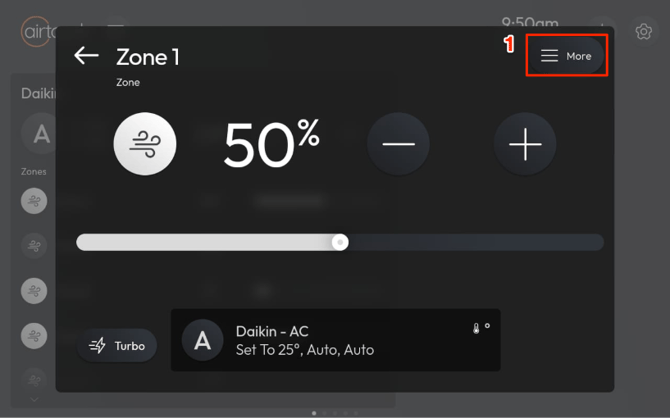
- Tap Room Selection.
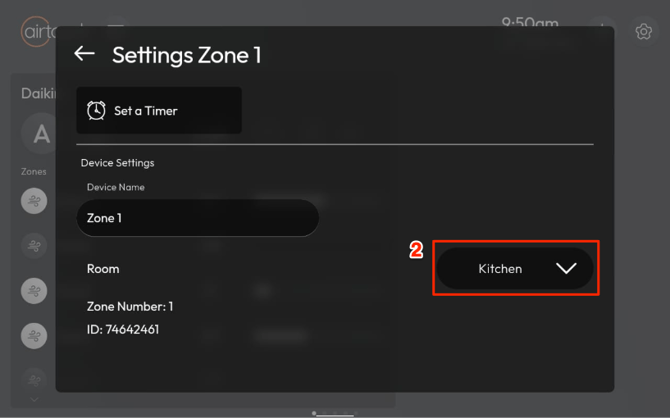
- Tap New Room.
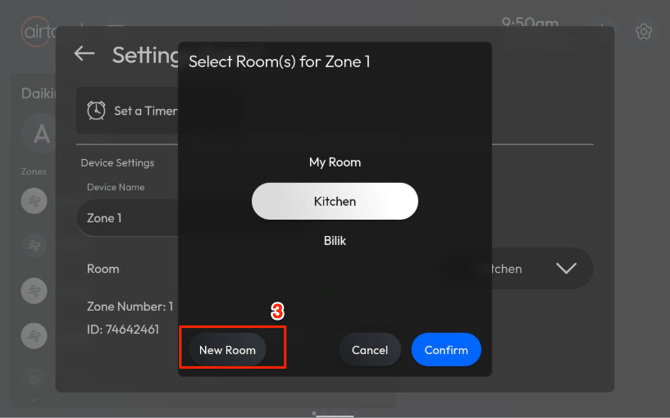
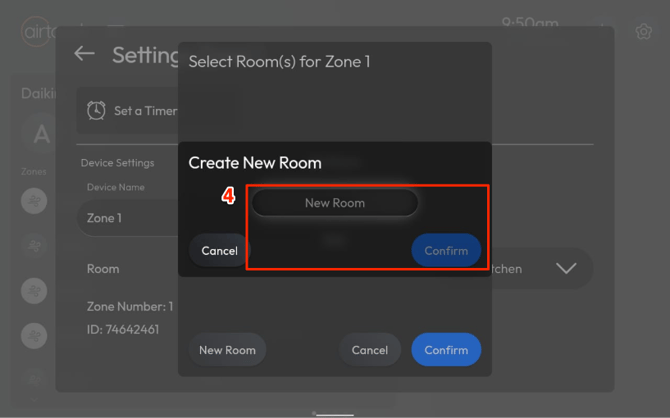
- Enter a name for the room and tap Confirm.
Assign Device to a Room
-
Go to the Device Tile → tap More.
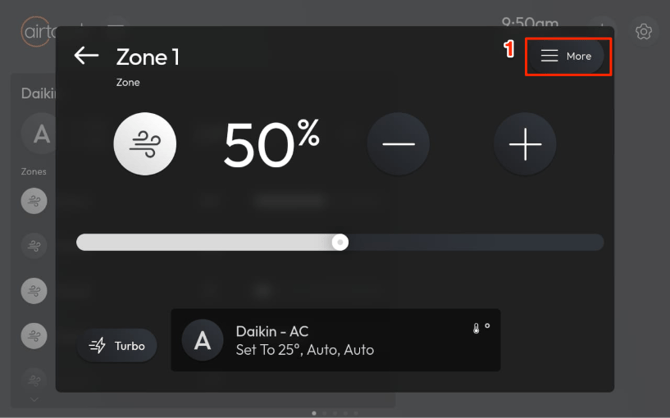
- Tap Room Selection.
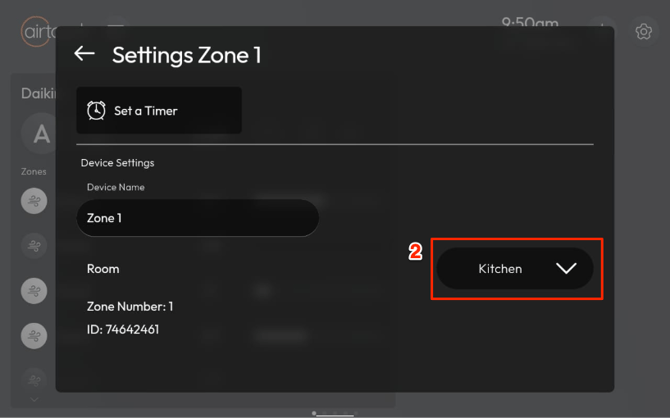
- Select the room you want to assign to the device.
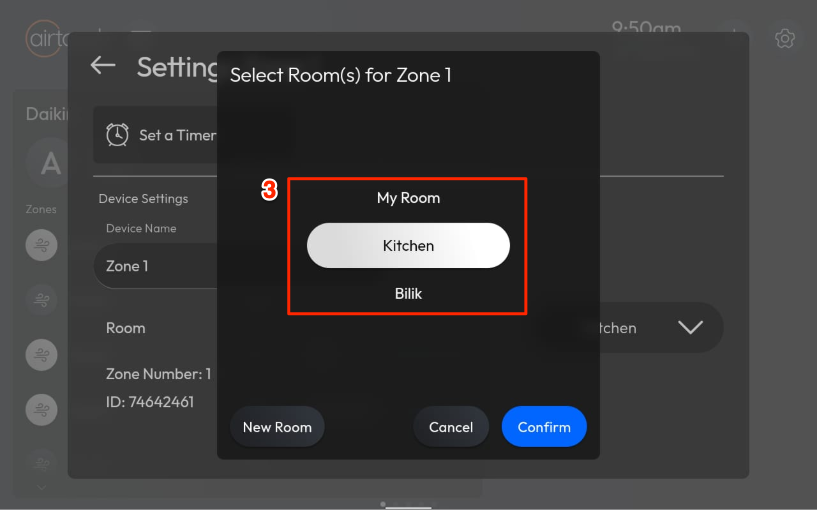
- Tap Confirm.
Rename a Room
-
Go to Settings → Rooms.
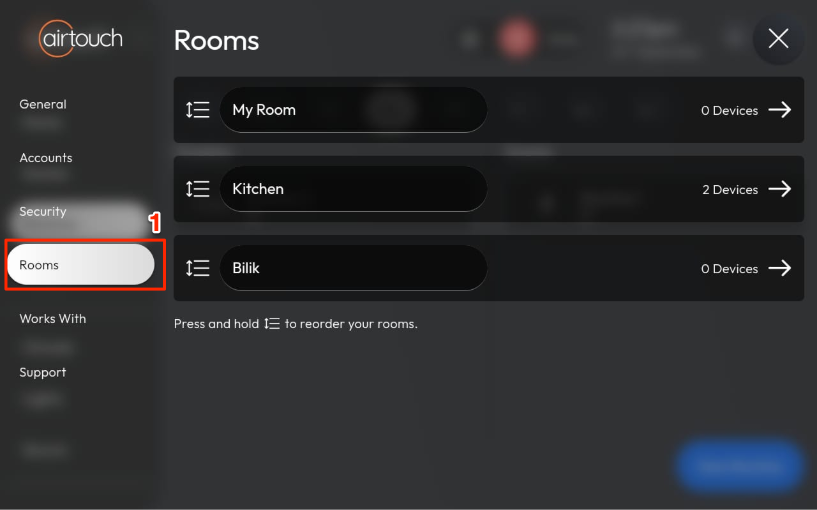
- Select the room you want to rename.
- Enter the new name and confirm.
Remove a Device from a Room
-
Go to the Device Tile → tap More.
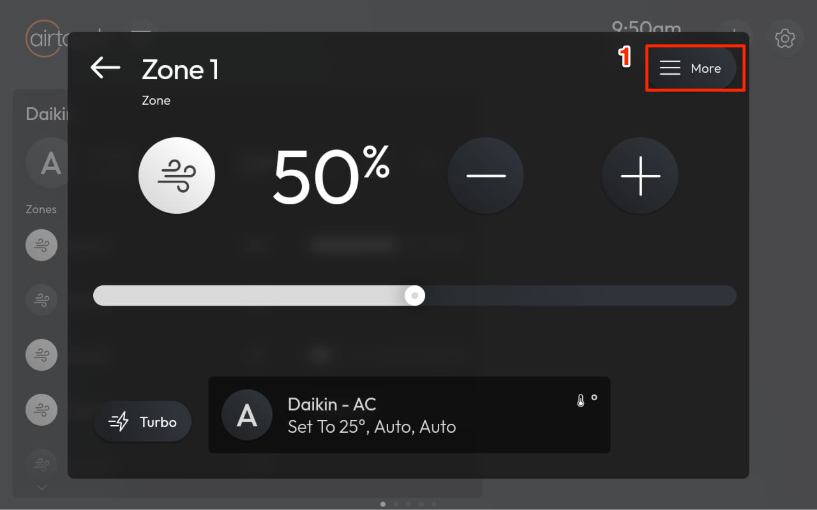
- Tap Room Selection.
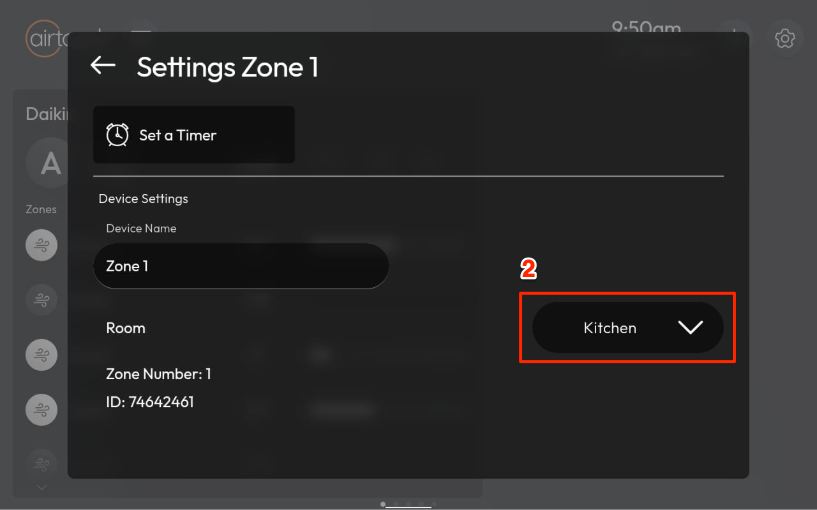
- Tap Room Selection.
- Unselect the assigned room → tap Confirm.
- The device will be removed from that room.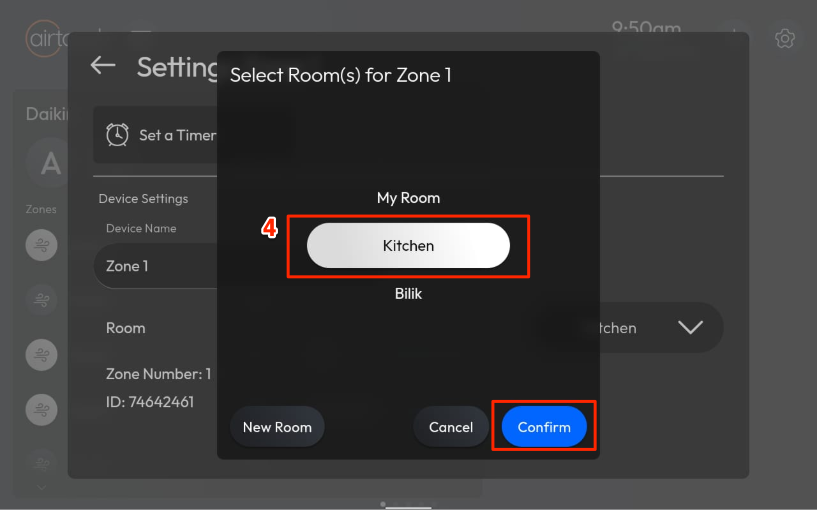
Delete a Room
⚠️ Make sure all devices have been removed from the room first.
- Go to Settings → Rooms.
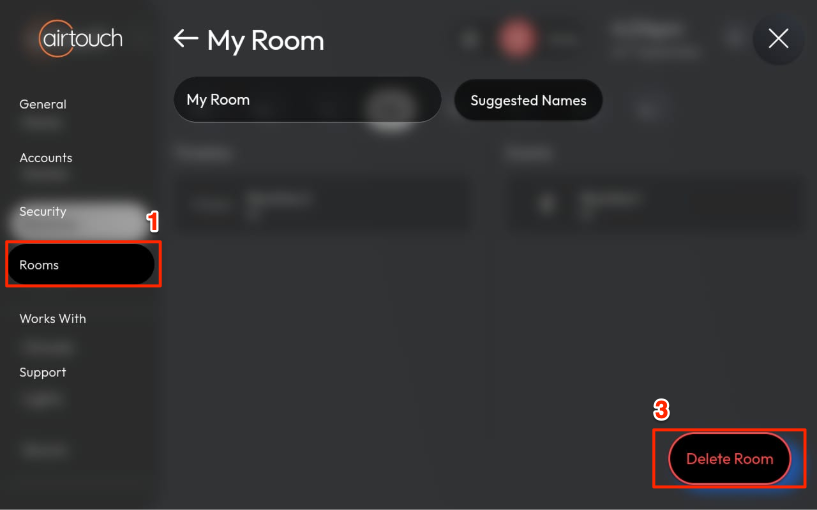
- Select the room you want to delete.
- Tap Delete Room.