![airtouch-logo.png]](https://help.airtouch.net.au/hs-fs/hubfs/airtouch-logo.png?width=100&height=52&name=airtouch-logo.png)
Add a User
- Go to Settings → Add User.
- Enter the user’s email address.
- Tap Send Invite.
- The user will receive a welcome email with instructions to join.
How to Join a Location (for Invited Users)
- Request an invite from the location owner.
- Check your email for the invitation.
- Download the AirTouch Home app.
- Create an account or log in using the invited email address.
- Important: Please create your account before accepting the invite.
- If you click the invite link before creating an account, the invitation will remain pending.
- Open the app and accept the invitation to join the location.
- You can now start controlling the AirTouch Home system from anywhere.
Remove a User
- Go to Settings → Accounts.
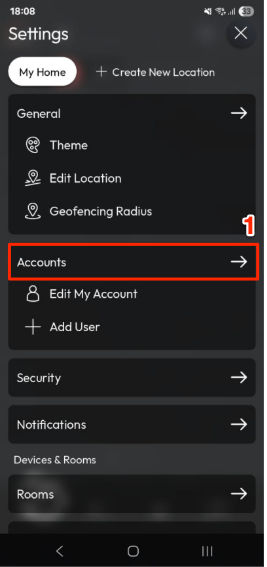
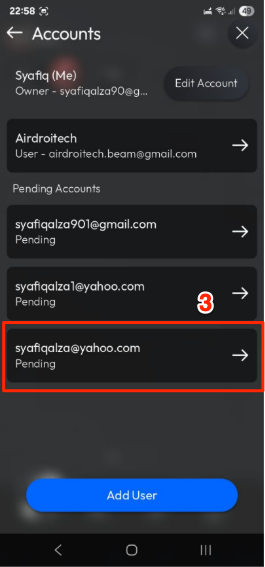
- The app will display the list of users under your location.
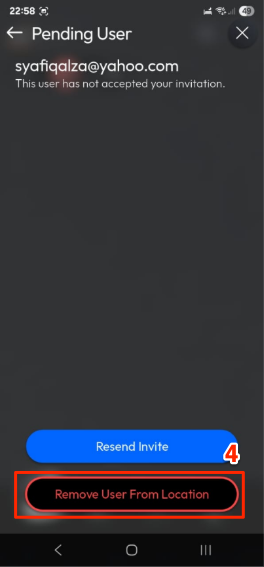
- Tap the user you want to remove.
- Tap Remove User from Location.
- That user will no longer have access to your location.
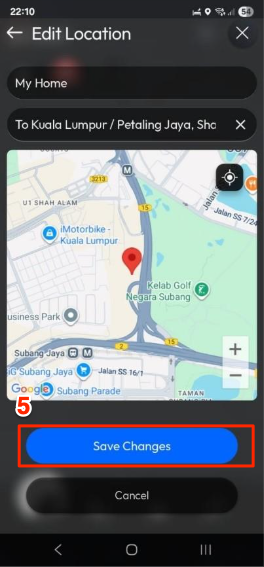
How to Edit a Location in the AirTouch Home Mobile App?
- Open the AirTouch Home mobile app.
- Go to Settings.
- Tap Edit Location.
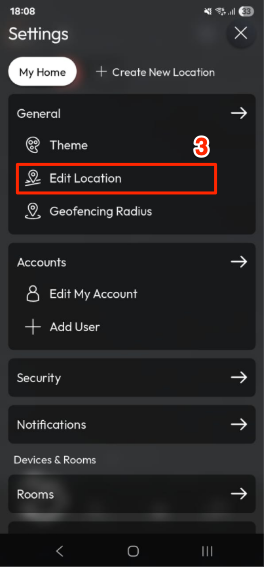
- Update the desired fields:
- Location Name
- Address (optional)
- Tap Save Changes to confirm.