![airtouch-logo.png]](https://help.airtouch.net.au/hs-fs/hubfs/airtouch-logo.png?width=100&height=52&name=airtouch-logo.png)
You can upgrade your AirTouch 5 console to AirTouch Home in just a few steps. Follow the instructions below carefully.
Steps to Upgrade
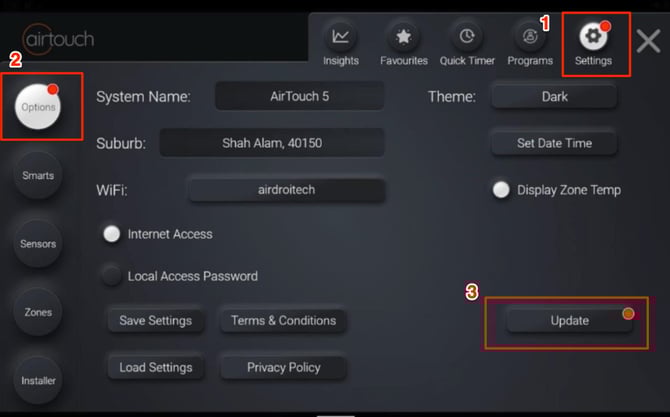
- Open the AirTouch 5 Console app.
- Navigate to Settings → Options.
- Tap Update button.
- A dialog titled “Get the AirTouch Home Experience” will appear.
- Review the information.
- Tap Continue button.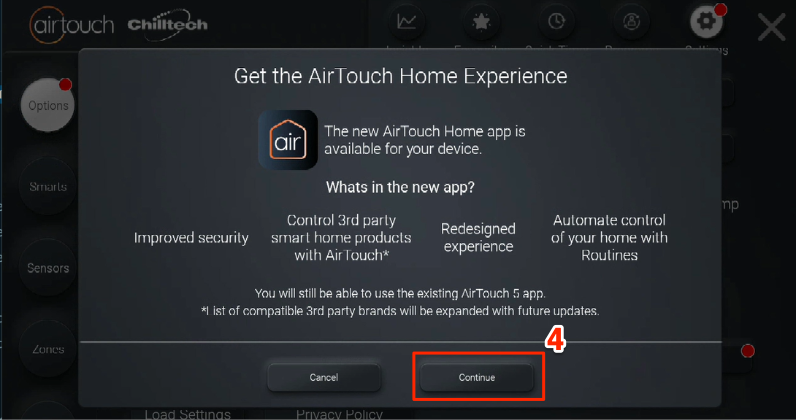
- A confirmation dialog titled “Changing to AirTouch Home” will appear.
- Tap Download Now button to begin the download process.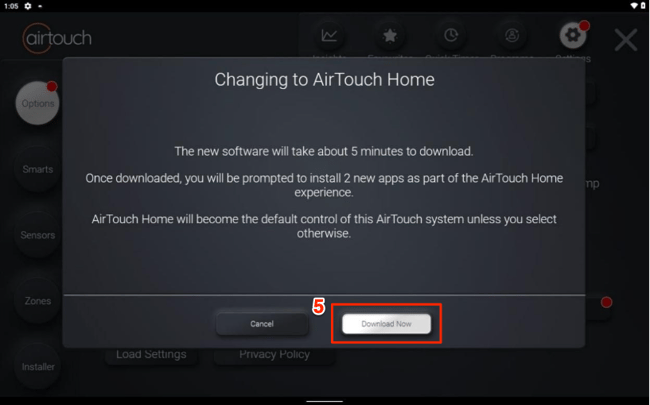
Note: The update process can take 5–10 minutes. Do not power off or disconnect your console during this time. - Once the download is complete, you will be prompted to restart the console app.
- Tap OK button to restart.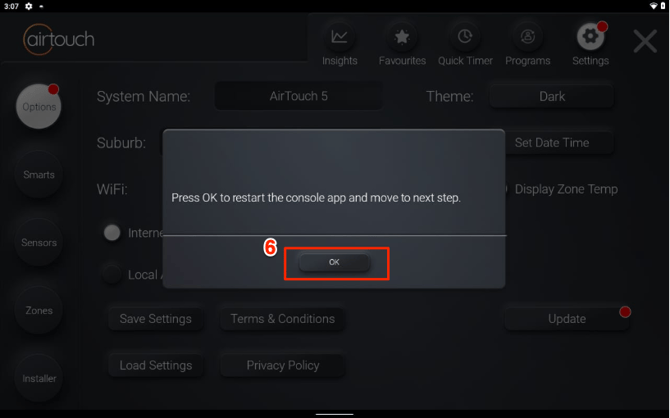
- After the console restarts, follow the on-screen prompts to install the required apps:
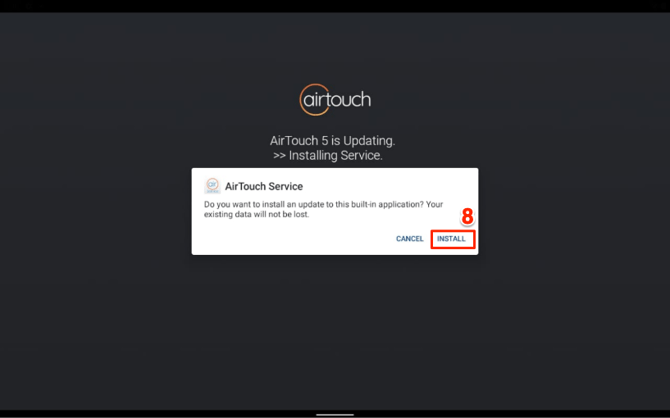
- AirTouch Service: When prompted, tap Install button and wait for the installation to finish.
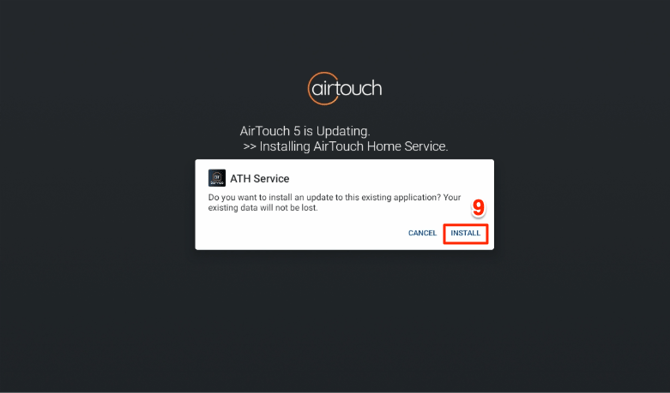
- ATH Service: When prompted, tap Install button and wait for the installation to finish.
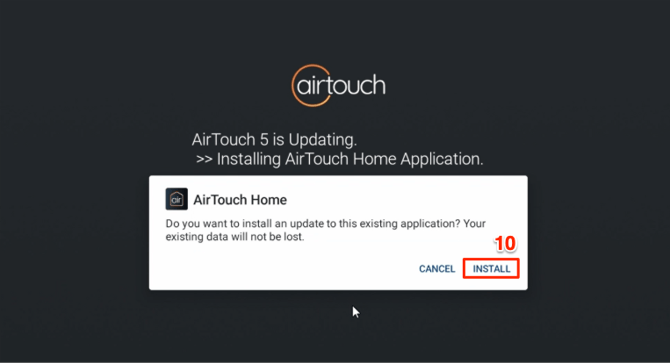
- AirTouch Home App: When prompted, tap Install button and wait for the installation to finish.
- After installation, the console will automatically open the AirTouch Home app and display a Welcome screen.
- Tap Get Started button to begin device configuration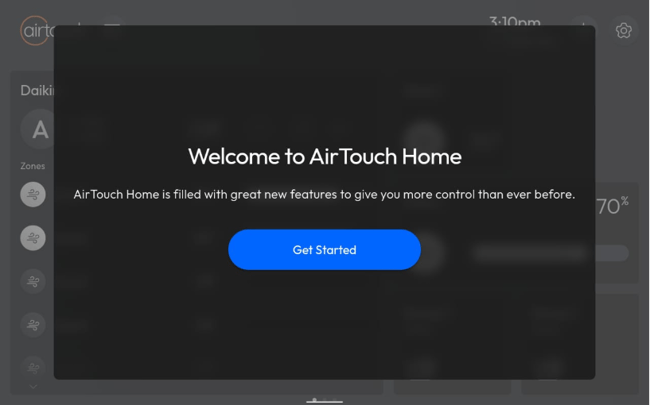
- Configure your devices.
- Allow current devices to be assigned into rooms to match AirTouch Home’s layout.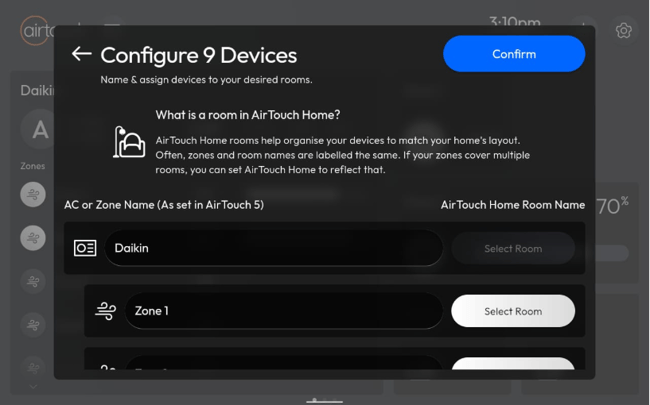
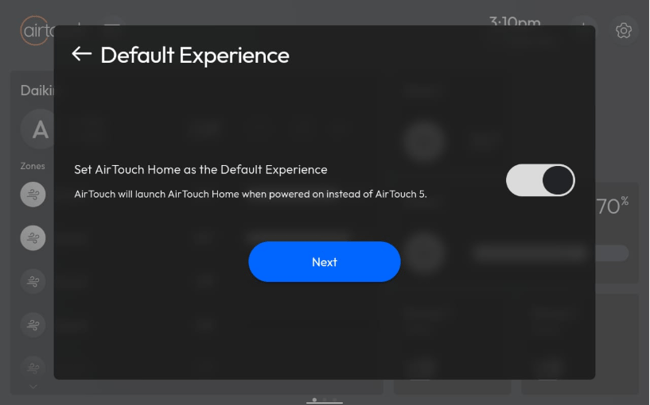
- Set AirTouch Home as the default app so it opens automatically when the console is powered on.
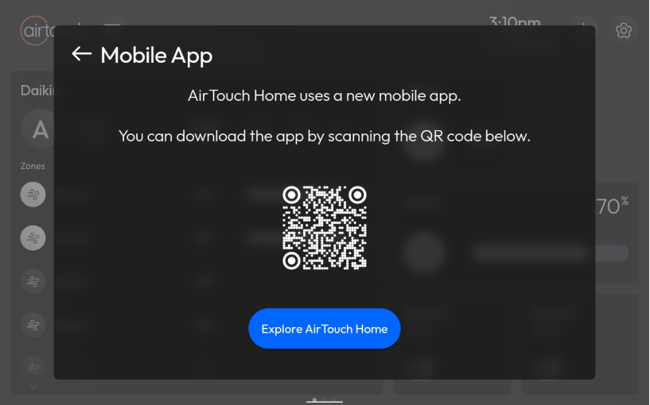
- Finally, scan the on-screen QR code to download the AirTouch Home app to your mobile device, or start exploring directly from the console.