![airtouch-logo.png]](https://help.airtouch.net.au/hs-fs/hubfs/airtouch-logo.png?width=100&height=52&name=airtouch-logo.png)
Option 1: Use a Key Fob to quickly switch between Disarm, Home and Arm Mode.
Option 2: On the AirTouch Home mobile app or console:
- Go to the Dashboard.
- Tap the Mode icon.
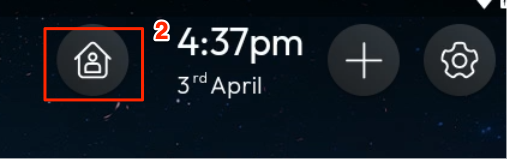
- Select the mode you want to activate.
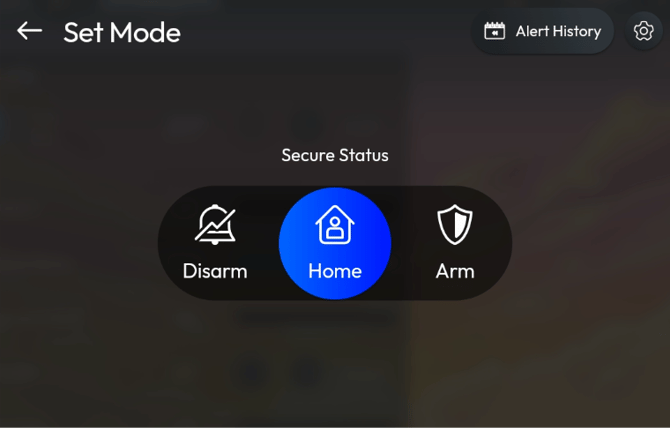
Switch to Arm mode
-
When switching to Arm mode, you view the ‘Set Location to Arm’ screen as below:
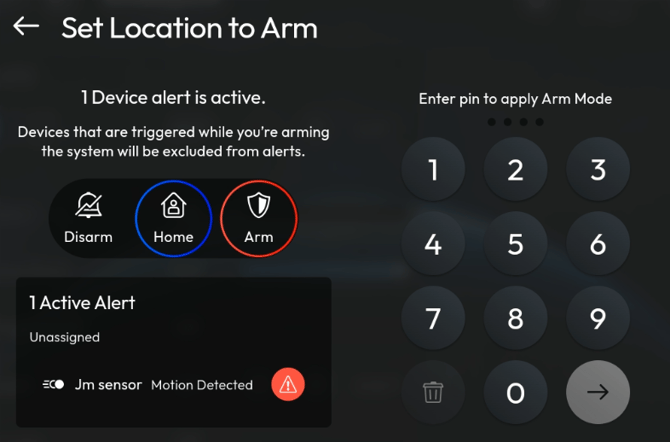
- There is Active Alert to indicate that current sensor state (e.g Door/Window sensor is opened)
- You MUST enter the pin to apply Arm Mode. This Pin verification is extra step to ensure your Console is secured with Pin code. If no Pin setup, it will skip this page and direct go to location arming.
- Once entering correct Pin, you will see countdown timer from 120 seconds as grace period to arm the location.
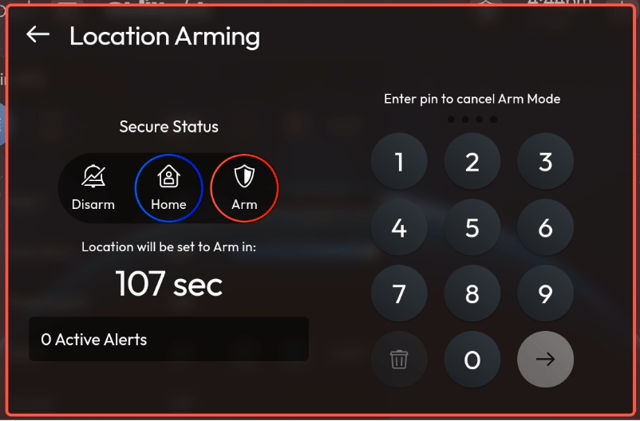
- After countdown completed, the location is armed.
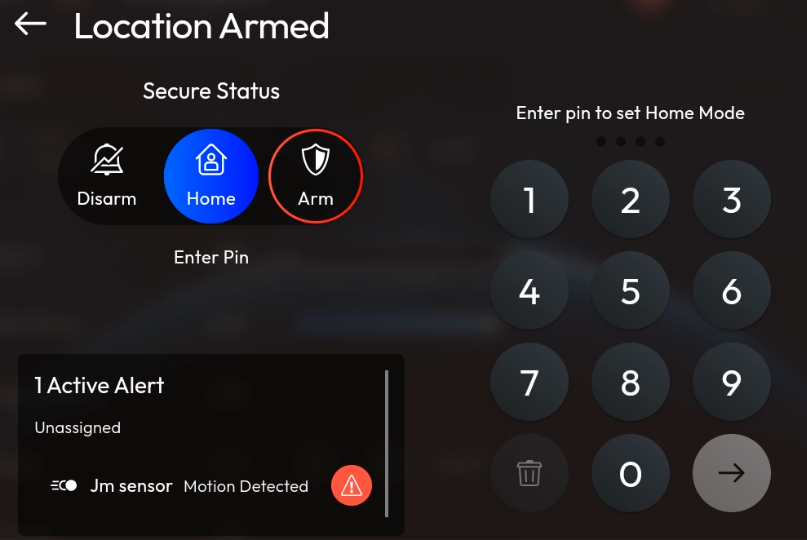
Receive Active Alarm during Arm mode and deactivate Active Alarm
- During Arm mode, sensor state has changed will trigger the Siren alert and send out the notification to mobile devices.
- Motion sensor detected motion
- Door/Window sensor opened state
- Console will pop-up a modal on screen with Alarm Active with siren activated
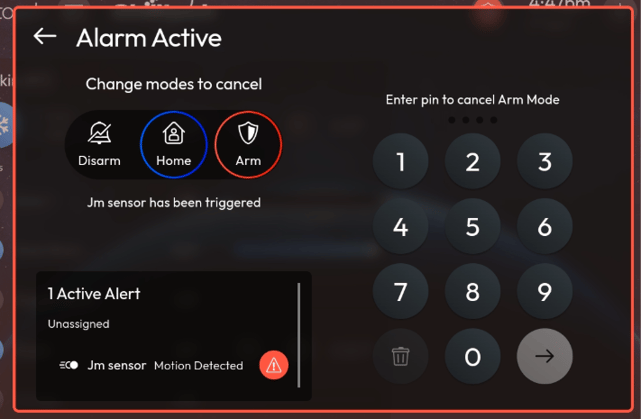
- You must enter pin to cancel Arm mode. If pin code is not set, you need to switch the secure mode to deactivate the siren.