![airtouch-logo.png]](https://help.airtouch.net.au/hs-fs/hubfs/airtouch-logo.png?width=100&height=52&name=airtouch-logo.png)
- Go to the Main Menu > Scenes > tap Create New Scene.
- Alternatively, tap the + (Add icon) > Scenes.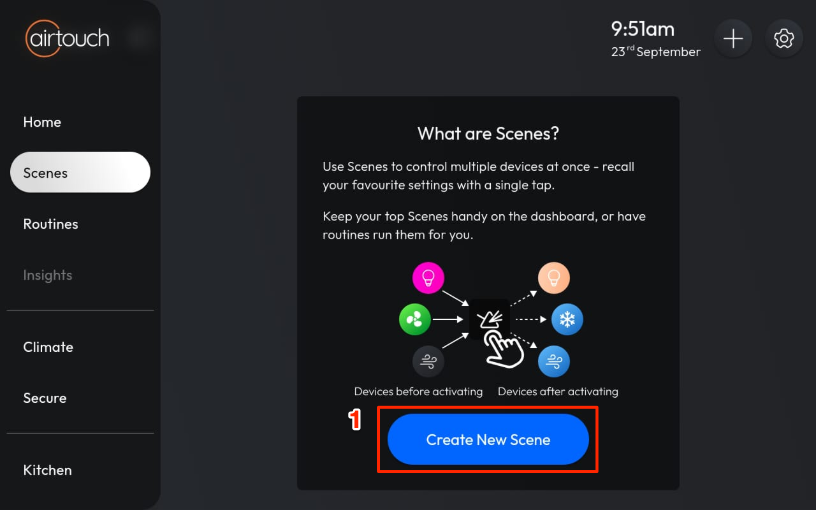
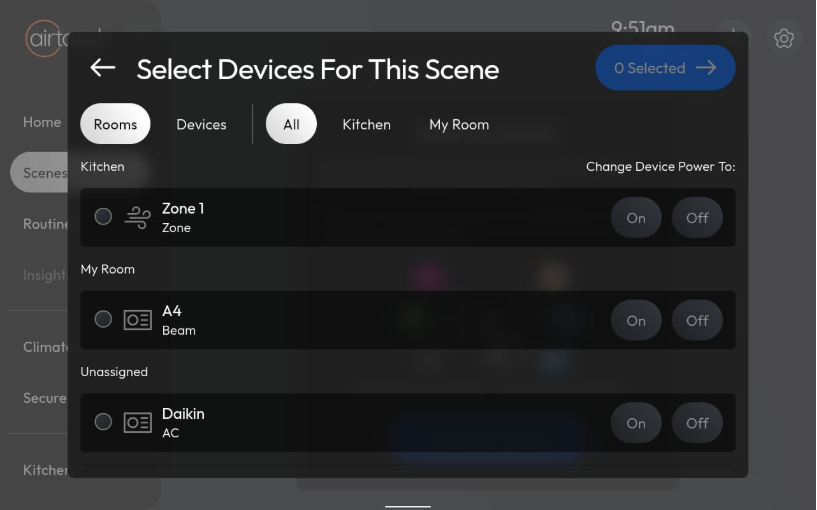
- Select the devices you want to control.
- Enter a name for your Scene.
- Configure the actions for each device (e.g., turn on/off, set temperature).
- Tap Save to finish.
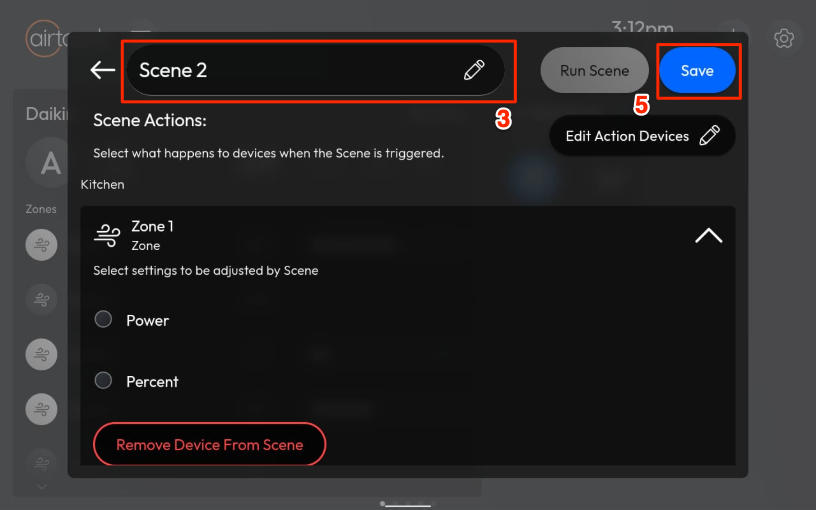
Your Scene will now appear in the Scenes list and can be activated with a single tap.