![airtouch-logo.png]](https://help.airtouch.net.au/hs-fs/hubfs/airtouch-logo.png?width=100&height=52&name=airtouch-logo.png)
- Go to Routine > tap New Routine.
- Alternatively, tap the + (Add icon) > Routine.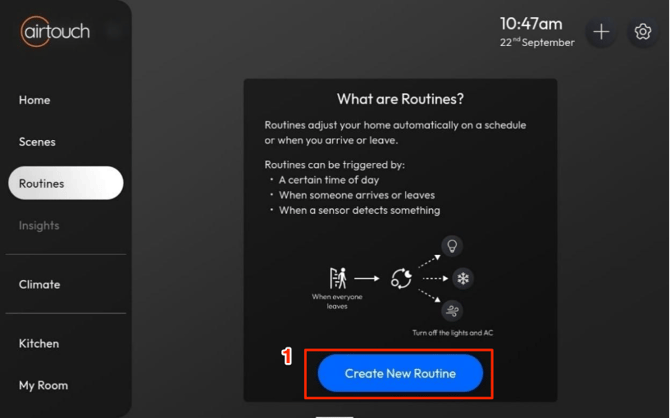
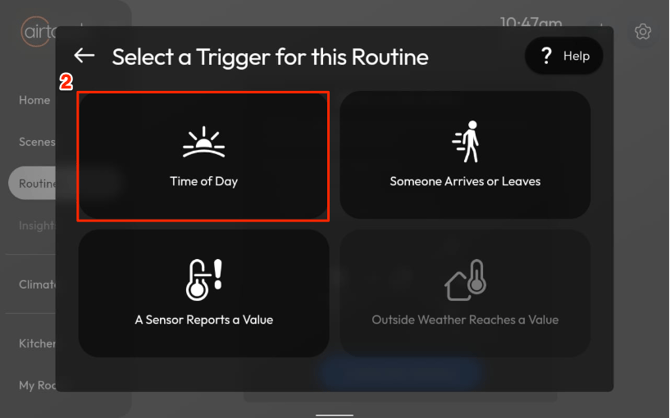
- Select Time of Day.
- Set a specific time, or choose Sunrise or Sunset, then tap Next.
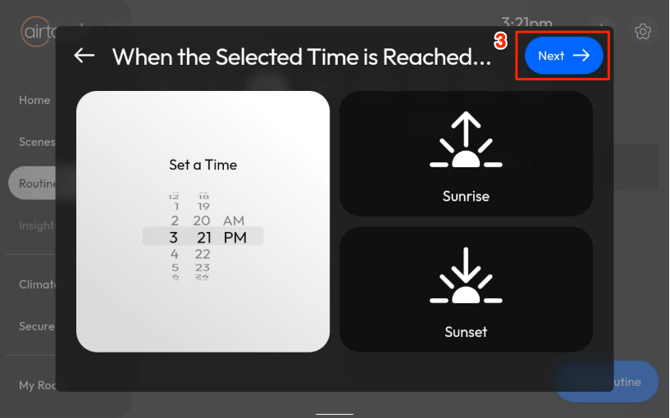
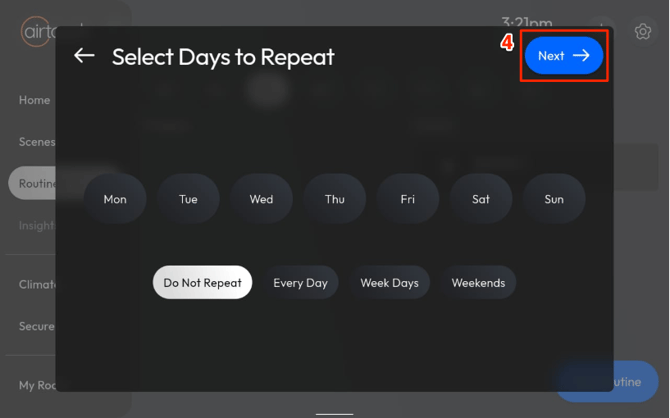
Notes: Need to allow ’Location’ permission for Console apps to retrieve Geolocation to get the sunrise & sunset timing. Else, these 2 selections will be disabled. - Select the Days to Repeat, then tap Next.
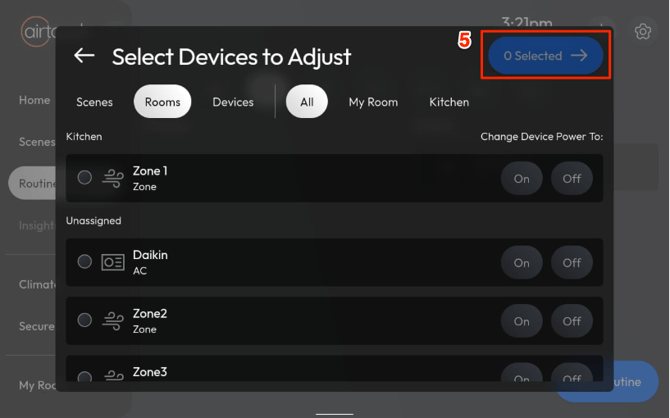
- Choose the Devices to Adjust, then tap Next.
- Enter a name for your Routine.
-Configure device actions such as on/off, temperature changes, etc.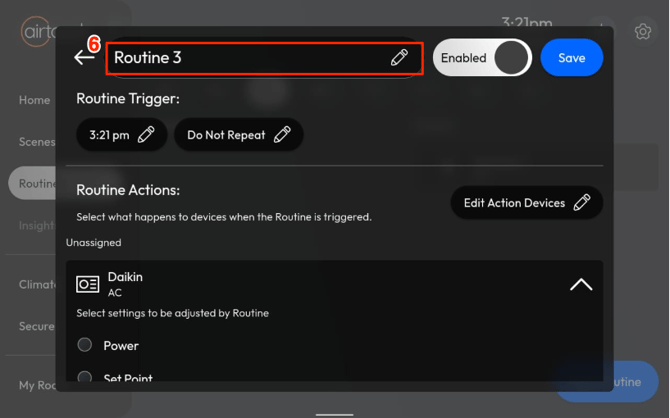
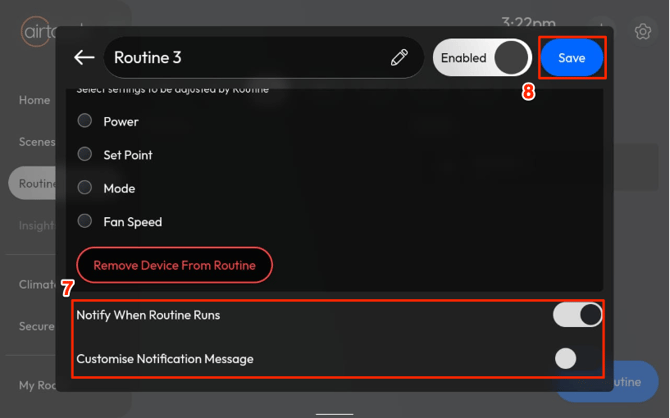
- (Optional) Enable Notifications and customise the message.
- Tap Save.
Your Routine is now ready and will trigger automatically at the set time.