![airtouch-logo.png]](https://help.airtouch.net.au/hs-fs/hubfs/airtouch-logo.png?width=100&height=52&name=airtouch-logo.png)
You can configure your console to automatically launch AirTouch Home every time it is powered on.
Option 1: During Initial Installation
When you first install AirTouch Home after upgrading from AirTouch 5, the system will prompt you to set AirTouch Home as the default experience.
- Toggle switch On to Set AirTouch Home as Default Experience.
- The console will now launch AirTouch Home automatically on startup.
Option 2: Manually After Installation
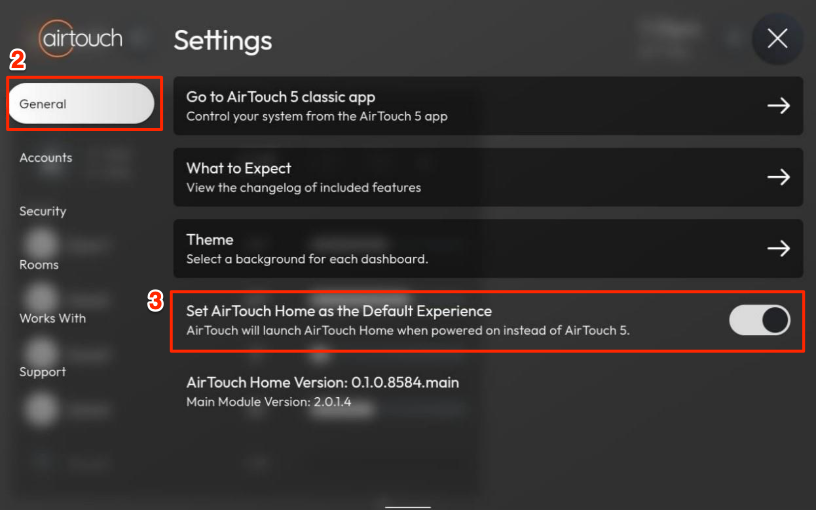
If you missed the initial prompt, you can still set it manually:
- Open the AirTouch Home app on the console.
- Go to Settings → General.
- Toggle switch On to Set AirTouch Home as Default Experience.