![airtouch-logo.png]](https://help.airtouch.net.au/hs-fs/hubfs/airtouch-logo.png?width=100&height=52&name=airtouch-logo.png)
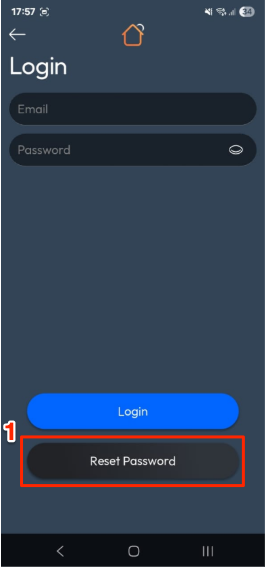
- On the Login screen, tap Reset Password.
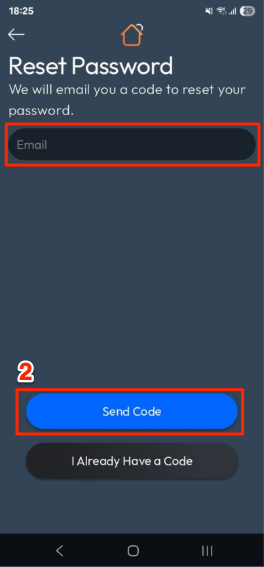
- Enter your Email address → tap Send Code.
- Check your email and enter the 6-digit verification code. Then, create a New Password and confirm it.
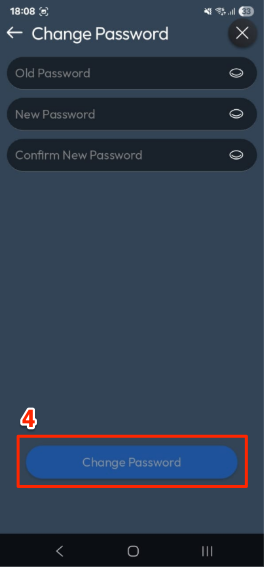
- Tap Change Password.
- You’ll be redirected back to the Login screen to sign in with your new password.