![airtouch-logo.png]](https://help.airtouch.net.au/hs-fs/hubfs/airtouch-logo.png?width=100&height=52&name=airtouch-logo.png)
You can remove a paired mobile app user from your AirTouch Home console if you no longer want them to have mobile access.
Steps to Remove a User
- Open the AirTouch Home app on your console.
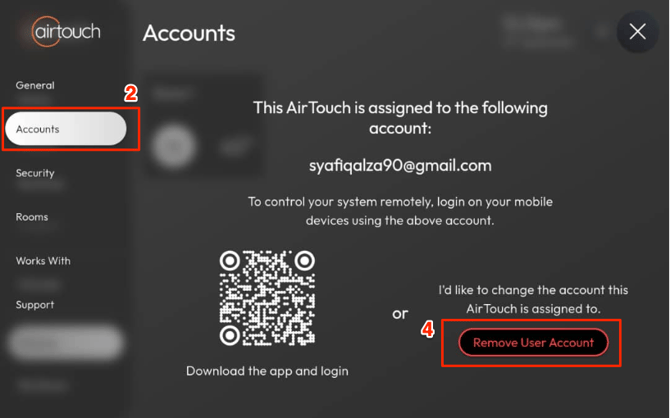
- Go to Settings → Accounts.
- If the console is paired with a mobile app user, their email address will be displayed.
- Tap Remove User Account.
- A confirmation message will appear. Tap Remove Account to proceed.
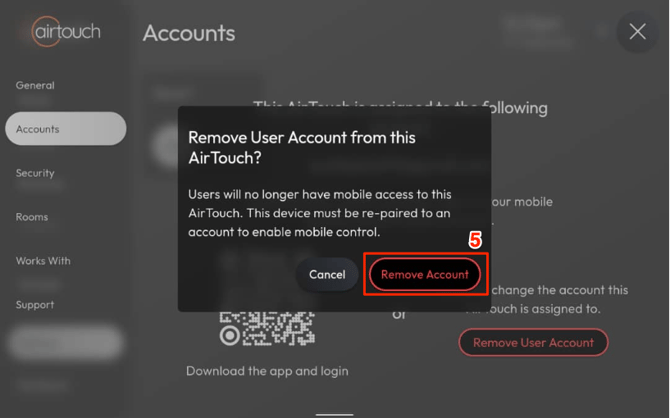
- The user will no longer have mobile access to your console. To restore mobile access, the console must be reconnected with a user account using the mobile app.