![airtouch-logo.png]](https://help.airtouch.net.au/hs-fs/hubfs/airtouch-logo.png?width=100&height=52&name=airtouch-logo.png)
- Open the AirTouch Home mobile app.
- Go to Settings > Notifications.
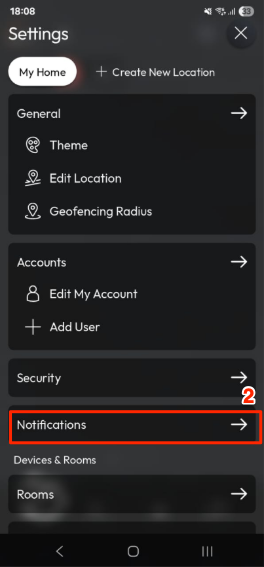
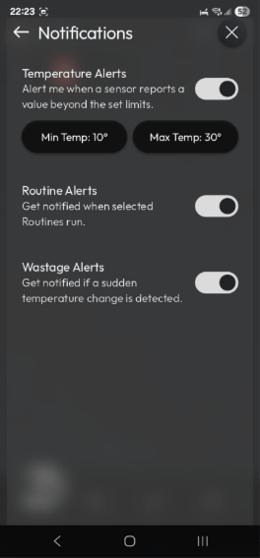
- Use the toggle switch to turn notifications On or Off.
Types of Notifications
- Temperature Alerts – Get notified when your AC reaches the set minimum or maximum temperature.
- Routine Alerts – Receive alerts when your selected routines are triggered.
- Wastage Alerts – Be notified if a sudden temperature change is detected, helping to prevent energy wastage.