![airtouch-logo.png]](https://help.airtouch.net.au/hs-fs/hubfs/airtouch-logo.png?width=100&height=52&name=airtouch-logo.png)
To create an additional location, you will need a separate AirTouch console installed on the same network. Once set up, connect it with the AirTouch Home mobile app to manage it in the new location.
Create a New Location
- Open the AirTouch Home mobile app.
- Go to Settings.
- Tap + Create New Location button.
- The app will automatically scan for unassigned AirTouch Home devices on the same network.
Select AirTouch Console and Configure Location
- Select your AirTouch console from the list.
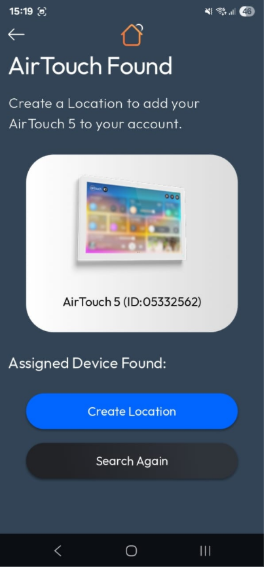
- Tap Create Location button.
- On the Create Location screen:
- Enter a Location Name.
- Check your address or adjust the map pointer to your desired location (optional).
- Tap Create Location button to confirm.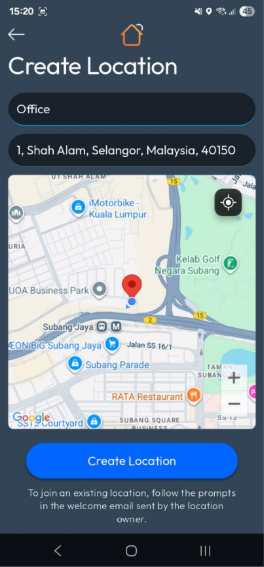
Connect to the Console
- Your console will display a 6-digit pairing code.
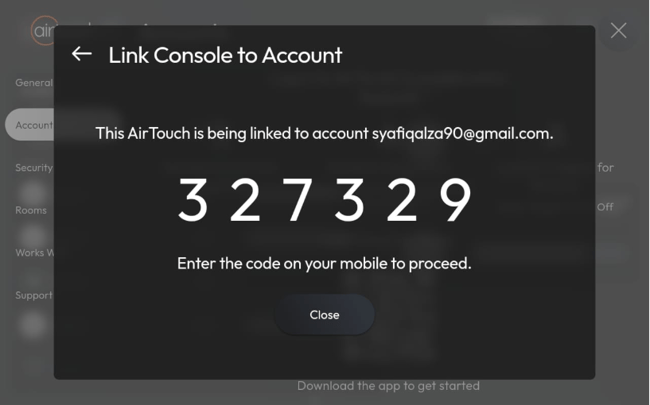
- On the mobile app, enter the 6-digit code and tap Submit button.
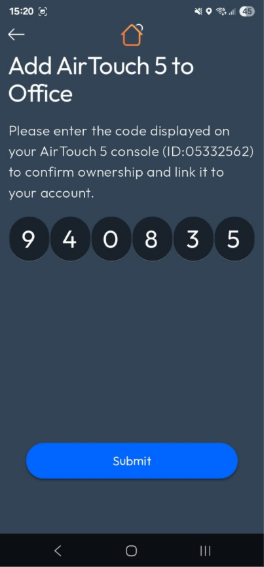
- The app will display a Success screen.
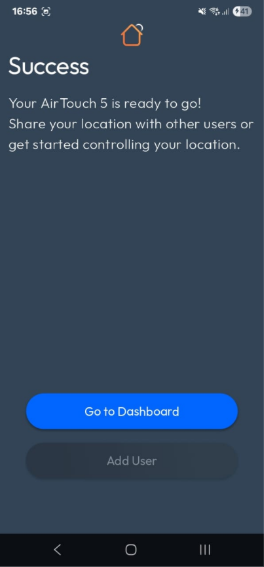
- Tap Go to Dashboard.
- The app will open the Dashboard, where you can start controlling your AirTouch Home system.