![airtouch-logo.png]](https://help.airtouch.net.au/hs-fs/hubfs/airtouch-logo.png?width=100&height=52&name=airtouch-logo.png)
The Timer feature in AirTouch Home is designed to be simple and intuitive. Perfect for when you’re heading to bed, stepping out, or just want the system to automatically turn on or off after a set time.
How to Set a Timer
- Go to the Device Tile → tap More → select Set a Timer.
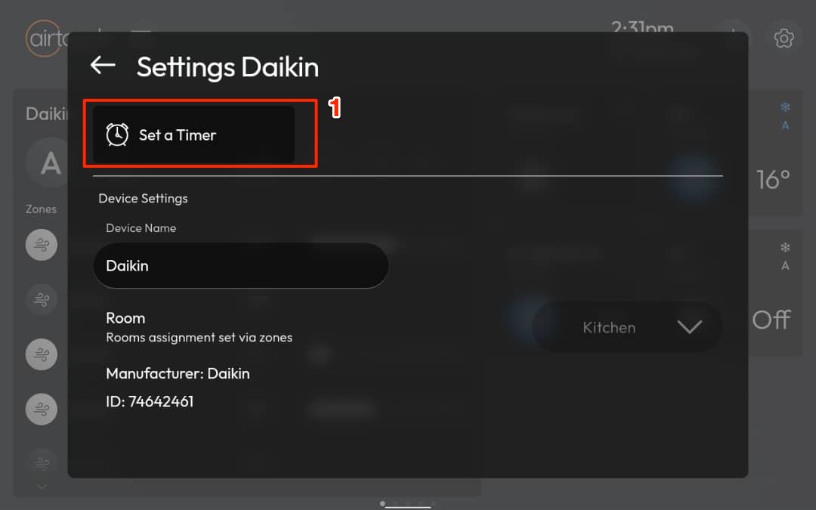
- Alternatively: Tap and hold the Power button on the AirTouch Home console for a few seconds.
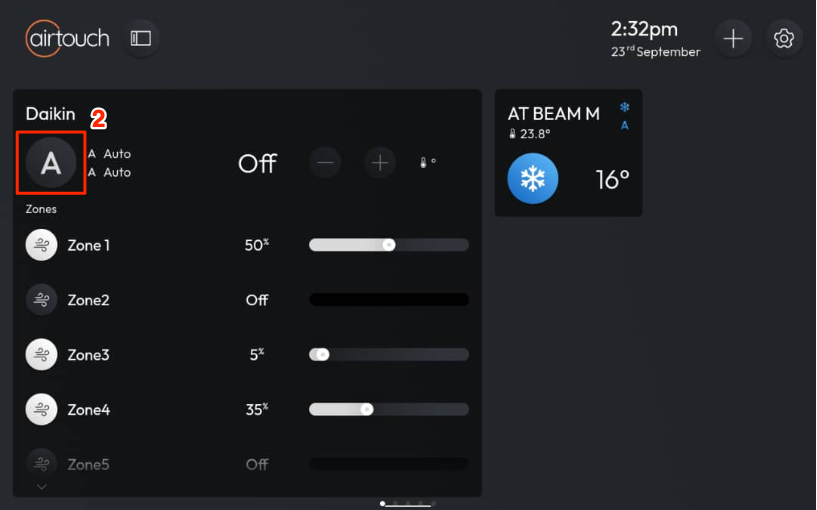
- A Timer window will appear.
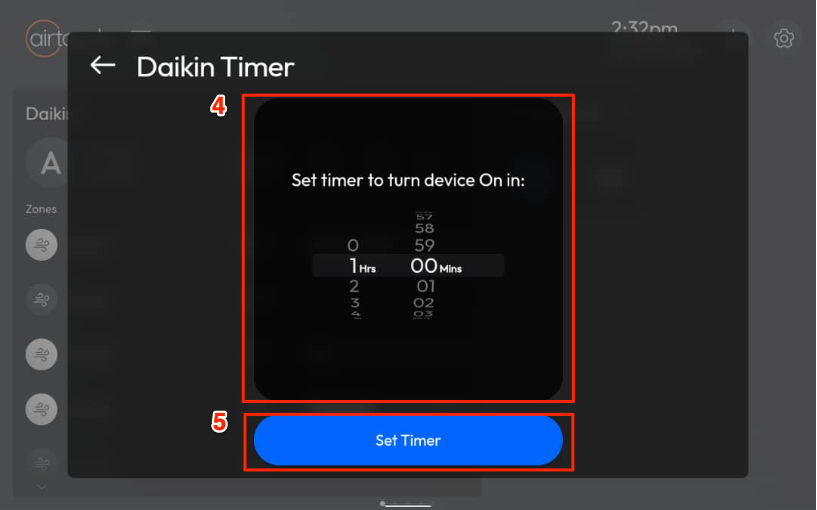
- Use the scroll wheels to set a countdown for the system to turn ON or turn OFF.
- Tap Set Timer to activate the timer.
Once set, a clock icon will appear at the top of the screen, indicating that the Timer is active.
How to Cancel a Timer
- Go to the Device Tile → tap More → select Set a Timer.
- Alternatively: Tap and hold the Power button on the AirTouch Home console for a few seconds.
- A Timer window will appear.
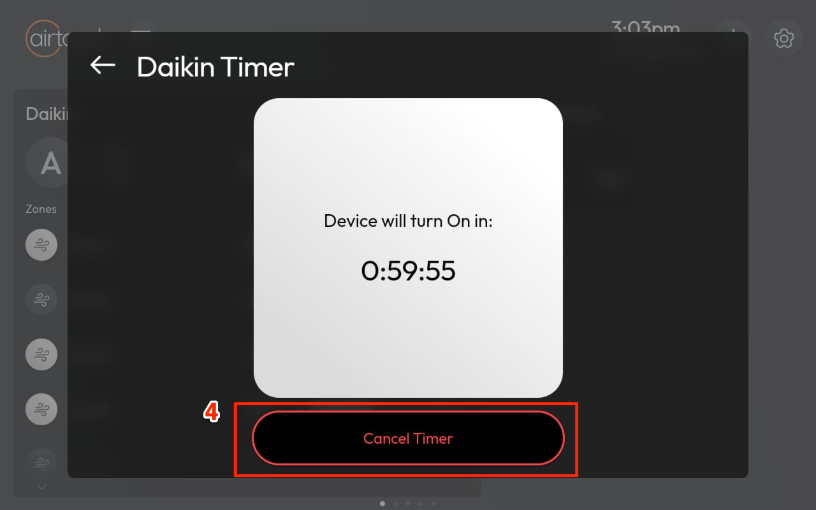
- Tap Cancel Timer to cancel it.